Patient Guides / Language and Support
Translation Tools That Break the Language Barrier in China: A Complete Guide for Foreigners
Summary: You're standing in front of a restaurant menu entirely in Chinese characters. Your phone is out. You open Google Translate — and nothing loads. This is a moment almost every foreigner in China has experienced. And it's fixable. China's internet environment means the tools you relied on back home may not work here — but the alternatives are just as powerful, and in some cases, better.
Author: China Medical Info Published or updated: 2026 Read time: 7 min read
Editorial And Source Review
Editorial review: China Medical Info Editorial Team. Last content check: July 3, 2026. Educational scope, clarity, verification pathways, and safety disclaimers. Not clinical review, diagnosis, treatment guidance, legal advice, visa advice, or insurance advice.
Official Source Paths
Use these official sources to verify current rules, policies, services, or payment requirements before acting on this educational guide.
- National Health Commission - Official English-language health service and public health information.
- National Immigration Administration - Official entry, stay, and immigration-service information for visitors and foreign residents.
- State Council services and policy resources - Official English-language public-service resources for living, visiting, and emergency preparation in China.
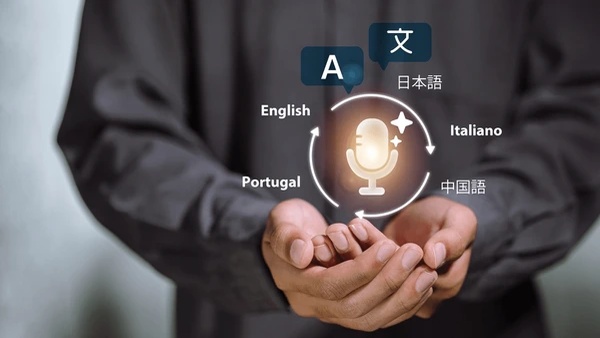
China is home to one of the most developed mobile app ecosystems in the world, and translation technology is no exception. The challenge for foreigners isn't a lack of tools — it's knowing which ones actually work. Google Translate is blocked in China without a VPN. That single fact catches more first-time visitors off guard than almost anything else. But China-based alternatives like Baidu Translate, Youdao, and Microsoft Translator — combined with built-in features inside WeChat and your phone's OS — cover every real-world translation need you'll encounter.
What Works and What Doesn't
Blocked in China (without VPN): - Google Translate - DeepL - Most Google services Works Without VPN: - Baidu Translate (百度翻译) — the most reliable all-rounder - Microsoft Translator — best offline experience - Youdao Translate (有道翻译) — strong for text and AR camera - Pleco — gold standard for Chinese-English dictionary use - WeChat built-in translation — seamless for in-app use - iOS / Android native translation — system-level, always available Before you fly: download at least one offline Chinese language pack. Tunnels, basements, rural areas, and metro stations can all leave you without signal — offline translation is your safety net.
The Top Translation Tools, Broken Down
1. Baidu Translate (百度翻译) — Best All-Rounder Runs entirely on Chinese servers — no VPN needed, ever. Features: text translation in 200+ languages, camera/photo translation, voice translation, conversation mode, and offline mode. Best for: daily use, restaurant menus, street signs, live conversations. 2. Microsoft Translator — Best for Offline Use Often overlooked but one of the most functional options, especially outside major cities. Features: 70+ languages, best-in-class offline mode, multi-person conversation mode. Best for: travel outside big cities, areas with poor connectivity. 3. Youdao Translate (有道翻译) — Best for Real-Time AR Built by NetEase. Features: 107 language pairs, AR camera mode (hover your camera over text and see translation overlaid live), photo, voice, and text translation. Best for: reading labels, packaging, documents, real-time sign translation. 4. Pleco — Best for Language Learners and Long-Term Residents A dedicated Chinese-English dictionary app, not a general translator. Features: detailed word definitions, stroke order, pronunciation, built-in flashcard system, camera lookup for handwritten characters. Best for: expats learning Chinese, reading formal documents. 5. WeChat Built-In Translation — Best for Everyday In-App Use No extra download needed. Long-press any text message → tap "Translate". Works across 18+ languages and integrates with Meituan and other mini-programs. Best for: translating messages from landlords, colleagues, service providers, and delivery notifications. 6. Your Phone's Native Translation (iOS / Android) - iOS: Translate app (pre-installed), camera translation mode, works offline with downloaded packs - Android: Baidu Translate can be set as a system overlay on most Android devices Best for: quick, in-context translations without switching apps.
Tips for Getting the Most Out of These Apps
- Download offline packs before you need them — save Simplified Chinese to your device in Baidu or Microsoft Translator settings - Use voice mode in taxis and shops — hold the phone between you and the other person for back-and-forth translation - Keep sentences short and direct — the shorter the input, the cleaner the translation output - Show, don't just speak — pass your phone across so the other person can read the translation directly - Set up WeChat translation as a habit — any message or image you receive can be translated in one tap Common Mistakes to Avoid: - Relying on Google Translate without a working VPN - Not downloading offline packs before leaving Wi-Fi - Using complex, idiomatic sentences — machine translation handles simple sentences best - Ignoring built-in phone translation features you already have - Trusting auto-translation alone for medical or legal situations
Summary
The language barrier in China is real — but it's more manageable than most people expect. With the right combination of Baidu Translate for everyday use, Microsoft Translator for offline coverage, WeChat's built-in tools for in-app situations, and Pleco for deeper understanding, you have everything you need to navigate daily life without speaking a word of Chinese. The key is setting up before you arrive — download the apps, save the offline packs, and you'll be navigating menus, signs, and conversations from day one.
This article is for informational purposes only and does not constitute medical, legal, emergency, translation-certification, or safety advice. Verify emergency procedures, translation requirements, app availability, and hospital support options with relevant official sources and qualified professionals.